
Update Personal LTMS Information
Change Name, Address, and Civil Status
Why Updating Your LTMS Information Matters
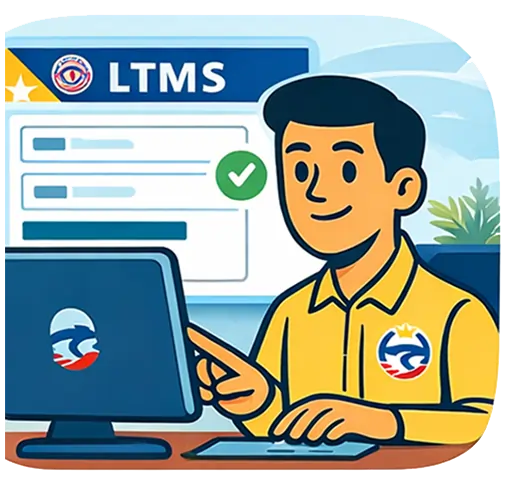
Your LTMS profile contains your official LTO driver record. If your name, address, or civil status changes, your LTMS information must match your legal identity documents. Incorrect records may cause renewal delays, mismatched medical certificates, or invalid transaction processing in LTO branches.
Keeping LTMS details updated helps you:
-
- avoid renewal problems
- ensure correct license printing
- match records with government IDs
- avoid citation or identity issues
- maintain accurate violation records
Outdated information may trigger system red flags or require additional verification during your next transaction. Updating LTMS early prevents your record from being tagged for manual review, which saves time when renewing, replacing, or upgrading your license.
👉 Back to all LTMS Services: LTMS Online Portal – Complete Guide for all Drivers
🔍 People Also Ask
❓ How do I contact LTO about LTMS account problems?
You can reach LTO through official hotlines, email, LTMS helpdesk support, or in-branch assistance depending on the issue.
👉 Learn more: Contacting LTO About LTMS Portal Problems
❓ Do I need to go to LTO for LTMS issues?
Only for identity verification, duplicate accounts, or serious record disputes. Most technical issues can be handled online.
👉 Read next: LTMS Login & Account Recovery Guide
❓ How long does LTO respond to LTMS concerns?
Response time varies depending on the office and volume of requests, ranging from same day to several working days.
👉 Troubleshooting tips: LTMS Portal Not Working – Fixes
Information You Can Update in the LTMS Portal
Some updates may be edited directly in the LTMS account, while others need verification or supporting documents submitted through an LTO office. LTMS tracks your change history to protect your identity and prevent fraudulent alteration of driver records.
Information commonly updated in LTMS includes:
-
- residential address
- phone number and email
- marital/civil status
- emergency contact
- name corrections or legal name change
Contact details can often be edited online, but legal identity changes normally require branch verification. This protects drivers from identity theft and ensures license information matches national databases and court or PSA documents.
Updating Your Address in LTMS
If you moved to a new residence, your driver's license and LTMS record should reflect your current address. Correct address information is important for correspondence, legal notices, and record matching with your medical certificate and violation history.
You can usually update your address when:
-
- you move to a new residence
- your barangay or municipality changes
- you changed regions or provinces
- your previous address was encoded incorrectly
Simple address updates are often completed online, although some cases may still require branch validation. Make sure your proof of address documents match your updated LTMS entry in case LTO requests supporting evidence during your next transaction.
👉 Related info: LTMS Login & Account Recovery – Email and Profile Access
Changing Your Name in LTMS (Marriage, Correction, Legal Change)
Name changes require stricter verification because they directly affect legal identity. These changes usually happen due to marriage, annulment, legal adoption, court-ordered name correction, or clerical error correction in birth records. LTMS and your physical license must reflect the same legal name.
Name change in LTMS normally applies when:
-
- marriage or annulment
- legal name change order
- RA 9048 clerical correction
- adoption or legitimation
- correction of encoding error
Name changes usually require personal appearance at LTO with PSA documents, court orders, or authenticated certificates. LTMS will then be updated by LTO personnel to avoid identity mismatch across systems and future transactions.
Updating Civil Status in LTMS
Civil status changes, such as marriage, annulment, or widowhood, must be reflected in LTMS especially if your legal name also changed. While civil status alone does not affect license privileges, it is part of your official LTO identity record.
Civil status updates usually occur due to:
-
- marriage
- annulment
- court-declared separation
- death of spouse (widow/widower status)
Supporting documents from PSA or court records may be required. Keeping civil status updated ensures your license record matches other government IDs, minimizing complications during passport, bank, or employment document verification.
LTMS Payment Not Posting or Duplicate Charges
Some drivers successfully pay fines or fees, yet the transaction remains marked “unpaid” in LTMS. This is usually a posting delay between the payment provider and LTO system. Occasionally, users also experience duplicate charges from multiple attempts during slow processing.
Common payment issues include:
-
- payment reflected in bank but not LTMS
- accidental duplicate payment
- expired payment link used
- pending transaction status
- interrupted connection during payment
Do not repay immediately if the first transaction already debited your account. Keep your reference number and coordinate with the payment partner or LTO support for reconciliation instead of duplicating the payment.
👉 Related topic: How to Pay LTO Fines Online Through LTMS
How to Update Personal Information Through LTMS
Some updates can be made directly in the LTMS portal, while others require LTO branch validation. Minor contact information changes are normally editable online, but identity-related updates must be processed in person for security reasons.
General process to update LTMS details:
-
- log in to your LTMS account
- open your Profile section
- edit eligible fields
- submit supporting documents if required
- visit LTO branch for identity-critical updates
If the field cannot be edited online, it usually means manual verification is required. Bring valid IDs and legal documents during branch visits to avoid repeat trips or rejected update requests.
👉 Related cluster: LTMS Appointment Booking – How to Schedule a Visit
Common Problems When Updating LTMS Information
Errors may occur when older LTO records do not match newer PSA documents or when names contain spelling variations. Sometimes the system locks sensitive fields due to suspected identity risks or duplicate profiles.
Typical update issues include:
-
- non-editable profile fields
- mismatched license and PSA records
- duplicate LTMS accounts
- wrong encoding by previous branch
- missing supporting documents
Do not repeatedly change your profile trying to force-save information. Instead, coordinate with LTO to correct your master record. This ensures clean data moving forward and prevents future renewal complications or suspected fraud investigation flags.
👉 Related cluster: Contacting LTO About LTMS Portal Problems
FAQs about Updating Your LTSM Records
Can I change my LTMS name without going to LTO?
No. Legal name changes require in-person verification and supporting documents to prevent identity fraud and record mismatches.
Is updating my LTMS address required?
Yes. Updated address helps ensure proper records, correspondence accuracy, and correct details printed on your driver’s license card.
Can I update my civil status online?
Sometimes. Minor status updates may be requested online, but legal status documents typically require branch validation by LTO staff
What documents are needed to change my name?
Usually PSA records, court orders, marriage or annulment documents, plus valid government IDs matching your updated identity details.
Final Thoughts – Keep LTMS Records Accurate to Avoid Future Problems
Keeping your LTMS information updated protects you from renewal delays, rejected medical certificates, identity mismatches, and incorrectly printed license cards.
Whether your change involves marriage, relocation, or legal name correction, updating LTMS early ensures all future transactions go smoothly. Treat your LTMS profile as your lifelong digital driver record — accurate today means fewer problems tomorrow.