
LTO LTMS Portal Guide 2026
Registration, Renewal, Appointments, Fees & Services
What is the LTO LTMS Portal?
The Land Transportation Management System (LTMS) is the official online service portal of the Land Transportation Office. It centralizes licensing records, exams, appointments, violations, payments, and compliance functions in one digital platform. LTMS is part of LTO’s long-term plan to transition away from manual paper-based transactions and branch-only services.
Key functions of the LTMS portal include:
-
- online licensing transactions
- CDE online exam
- renewal and application processing
- violation and demerit tracking
- appointment scheduling
- online payments
The portal continues to expand nationwide, and more services are being shifted into LTMS each year. Filipino drivers are strongly encouraged to register an account early because the LTMS portal is gradually becoming the primary system used by LTO for record management and licensing compliance.
🔍 Quick Navigation – LTMS Guides in the Philippines
-
- LTMS Account Registration – Step-by-step process & requirements
- LTMS Login & Account Recovery – Email, Client ID, password issues
- Online Driver’s License Renewal via LTMS – Requirements & process
- CDE Online Exam in LTMS – How to review and pass
- LTMS Appointments – How to schedule and reschedule visits
- Check LTO Violations in LTMS – Demerit points & penalties
- Pay LTO Fines Online Through LTMS – Fees & OR receipts
- Update Personal Information in LTMS – Name, civil status, address
- LTMS Portal Not Working – Common errors & fixes
- Contacting LTO About LTMS Issues – Support channels & help desk
- TDC and PDC in LTMS – Online Enrollment, Certificates, and Requirements
Who needs an LTMS account?
Most Filipino drivers will eventually be required to use LTMS because LTO is consolidating driver and vehicle records inside the system. Even if your license is still valid, creating an account early prevents delays later when you renew, correct your record, or settle violations.
You will need an LTMS account if you plan to:
-
- renew a driver’s license
- take the CDE validation exam
- book an online appointment
- apply for a student permit, non-pro, or pro license
- update personal information
- check penalties and demerit points
Foreign license holders may also need LTMS for conversion or renewal, but the system is designed primarily for Filipino drivers. In practice, LTMS is already required in many LTO offices, and future transactions are expected to fully migrate into the portal.
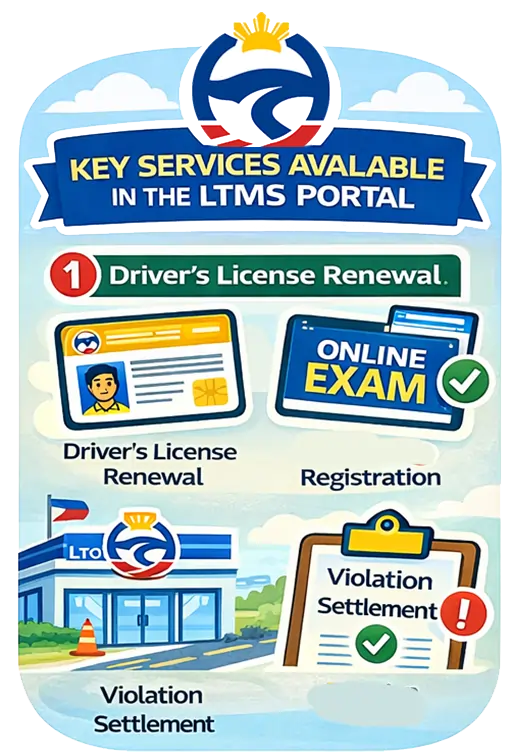 Key services available in the LTMS Portal
The LTMS portal consolidates several previously separate LTO services into one account dashboard. Not all features are fully implemented nationwide yet, but drivers can already complete many core licensing processes without going to the branch, aside from biometric capturing or exceptional cases.
Services currently available through LTMS include:
-
- driver’s license application and renewal
- replacement of lost or damaged license
- viewing violations and demerit records
- CDE learning modules and exam
- online appointment scheduling
- select online payments
Certain transactions still require in-person validation or biometrics depending on your record and local office capability. However, LTMS is intended to be the long-term system for nearly all LTO transactions, so Filipino drivers benefit from learning how to use it now.
How to create an LTMS account (overview)
Creating an LTMS account is the first step before using any online LTO service. Registration connects your profile to the LTO database so your license history, violations, and certificates can be viewed in one account. Registration is free, and only official LTO channels must be used.
Basic steps to register an LTMS account:
-
- visit the official LTMS portal
- click Register
- indicate whether you already have a driver’s license
- enter your personal details accurately
- verify your email
- complete your LTMS profile
If your LTO records do not match the LTMS database, manual validation may be required at a branch. Avoid creating duplicate accounts because this can cause transaction errors or mismatched records later when you renew or apply for changes to your license.
👉 Detailed guide: How to Create an LTMS Account Online Step-by-Step
LTMS and Driver’s License Renewal
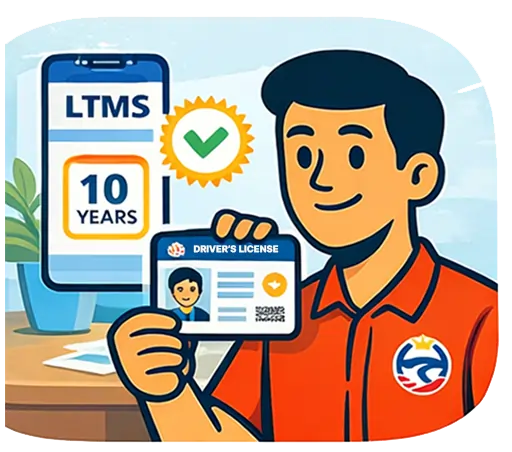 The LTMS portal is widely used for driver’s license renewal because it integrates CDE exam results, medical certificates, and past violation records. Many renewal applications now begin online even if biometrics or printing still take place inside an LTO office.
Renewal through LTMS generally requires:
-
- active LTMS account
- valid medical certificate from accredited clinic
- passed CDE online validation exam
- no unsettled blocking violations
Online renewal reduces processing time because records are already verified in LTMS before you appear at the branch. Some drivers may still be required to appear onsite for photo capture or data correction depending on branch capability and their licensing history.
👉 Related Topic: How to Renew Driver’s License via LTMS
CDE Online Exam
The Comprehensive Driver’s Education (CDE) program was introduced to ensure drivers maintain updated knowledge of road rules and safety. LTMS allows drivers to review learning modules and take the CDE exam online without visiting an LTO office unless technical assistance is necessary.
Through LTMS you can:
-
- access study materials and videos
- review practice content
- take the CDE validation exam online
- download your CDE certificate after passing
The CDE certificate is required for most renewal transactions and is automatically stored inside LTMS after you pass. This makes the renewal process faster because you no longer need to bring printed exam proof unless specifically requested by the branch.
👉 Related: How to Take the CDE Online Validation Exam in LTMS
Appointments through LTMS
Many LTO branches now prefer scheduled visits rather than walk-ins to manage volume and reduce waiting times. The LTMS portal lets drivers choose the most convenient branch and available time slot for licensing transactions, subject to branch capacity and service availability.
Typical transactions requiring LTMS appointment include:
-
- new license issuance
- conversion or additional restriction codes
- renewal in specific cases
- record corrections or data validation
Appointment confirmation is saved in your LTMS account and may be required at the branch entrance. Rescheduling is normally possible, but repeated no-shows may require setting a new appointment depending on branch policy and transaction type.
👉 Related Topic: How to Book an LTO Appointment Online Using LTMS
Checking fines and violations in LTMS
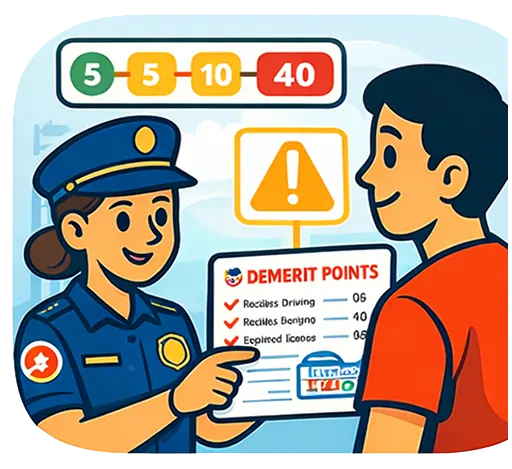
LTMS integrates the LTO penalty and violation database so drivers can monitor pending fines and accumulated demerit points. This helps motorists avoid renewal delays and learn whether their violations affect license validity or eligibility for a ten-year validity license.
Inside LTMS you can view:
-
- unsettled fines
- violation history
- corresponding penalties
- current demerit points
Settling violations promptly prevents suspension or renewal problems. LTMS also improves transparency because drivers can directly see their violation records instead of relying on branch checks or paper tickets, supporting LTO’s goal of safer and more disciplined road use.
👉 Related Topics:
• How to Check LTO Violations and Penalties in LTMS Portal
• How to Pay LTO Fines Online Through LTMS
🔍 People Also Ask
❓ Is an LTMS account required for driver’s license renewal?
Yes, most LTO offices now require LTMS registration because renewal records, CDE certificates, and past violations are already centralized in the portal.
👉 Learn more: Renewing Driver’s License via LTMS – 2026 Guide
❓ Can I take the CDE exam online through LTMS?
Yes, the LTMS portal provides free CDE learning modules and lets drivers take the online validation exam, then download the certificate after passing.
👉 Full process: CDE Online Exam in LTMS – Complete Guide
❓ Can I pay LTO fines online using LTMS?
Yes, many violations can be paid through the LTMS portal, and the official receipt is generated online after successful payment.
👉 Step-by-step guide: Paying LTO Fines via LTMS Online
❓ What if the LTMS portal is not working?
Temporary downtime, browser compatibility issues, or unmatched records may cause errors. Basic troubleshooting and data verification usually solve the issue.
👉 Fixes explained: LTMS Portal Not Working – Common Errors
LTMO Portal FAQs
What is the LTMS portal used for?
The LTMS portal is used for LTO online services such as license renewal, CDE exam, appointment booking, violation checking, and managing your licensing records.
Is LTMS the same as LTO online?
Yes, LTMS is the official LTO online system where digital services are gradually being centralized for licensing, compliance, exams, and future vehicle services.
Do I need LTMS for student permit?
Yes, student permit applicants are encouraged to register because theoretical driving course certificates and future license applications are stored in LTMS.
Can I have two LTMS accounts?
No, duplicate accounts may cause errors. You should only have one LTMS profile that matches your official LTO record and driver’s license details.
What if my LTMS profile does not match my license?
You will need to coordinate with LTO to correct records because your LTMS account must match the official database before transactions can be processed.
Does LTMS work on mobile phones?
Yes, LTMS works in mobile browsers, although performance depends on internet connection and device. Some users find desktop access more stable.
Can I change email address in LTMS?
Yes, you can update profile contact details in LTMS, but verification may be required. Keep your email active because notifications and OTPs are sent there.
Is LTMS required nationwide?
Yes, LTO is rolling out nationwide implementation. Many branches already require LTMS registration for licensing, CDE validation, and record management.
✅ Final Thoughts – Why Every Filipino Driver Should Use the LTMS Portal
The LTO LTMS Portal is no longer just an optional online tool—it is becoming the standard system for driver licensing and compliance in the Philippines. By creating an account early, Filipino drivers can manage renewals, exams, violations, appointments, and records in one secure platform. It reduces waiting time, minimizes paperwork, and helps avoid penalties caused by missing requirements or outdated information. As LTO continues its digital transformation, being familiar with LTMS ensures that you stay compliant, informed, and ready for future changes in licensing rules and processes.